Dragon Fury Guides: Games, Login, Slots and Mobile
Dragon Fury Team · September 23, 2026
Find games and providers, open the right account, check payments and balances, or follow mobile and support instructions.
Use this page as a reading map. Pick the task you came to do and go straight to its guide; you do not need to work through the library in order. Provider titles and connected platform accounts are indexed separately below.
Use the library search when the provider is unfamiliar
The blog library searches article text and the complete game lists. Enter a distinctive game name, read the provider in the result, then open that guide. In the checked example, Genie's Showtime led to the Habanero article.
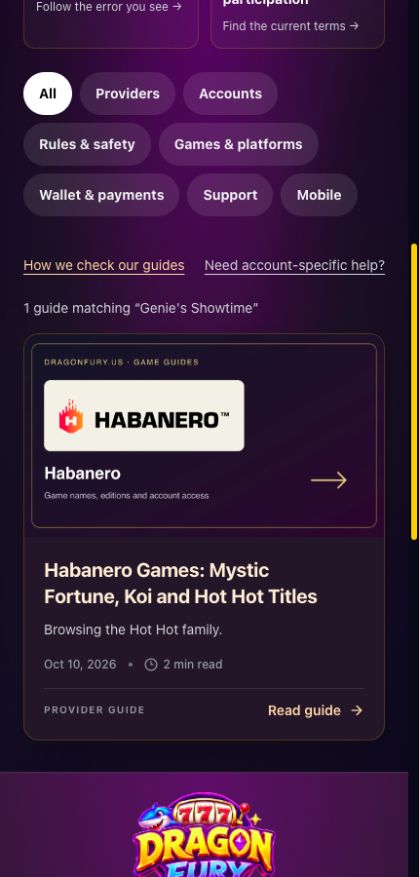
A real title-to-guide search, captured October 10, 2026. The result is a guide, not an account or game launch. Select the image to view it at full size.
Find a game by name or studio
Know the name but not the provider? Use blog search, which includes the complete title directories. Know the studio? Open the provider index.
Start with Pragmatic Play, Habanero, PG SOFT, Ezugi or Pragmatic Live. For similar names and editions, use the slots guide.
Choose a connected platform
These seven platform cards were active in the checked configuration. Each guide has a different access question as its focus.
| Platform | Start here when you need to… |
|---|---|
| Dragon Fury | Distinguish the website from dragonfury.club |
| Juwa | Check the issued game login details |
| Orion Stars | Return through the current platform card |
| GameVault | Review a transfer and its destination |
| Fire Kirin | Understand the account setup result |
| Milky Way | Check current availability and account instructions |
| Ultra Thunder | Keep the selected platform and balance together |
A platform card opens a destination with its own account instructions. It is different from an individual game under a provider such as Habanero. The fishing guide explains why that distinction matters when you remember a game category rather than a title.
Follow a payment or balance question
- Choosing a package or checking checkout: payment status.
- Reading a preview balance or requesting a return: provider wallets.
- Understanding how those movements connect: wallet overview.
Recover access or fix a launch
Use the login address guide to identify the website account, sign-in troubleshooting for a rejected form, and launch troubleshooting when the dashboard works but the game does not.
On a phone, begin with mobile browser access. For older account questions, read VBlink transition guidance. For an ambiguous 777 search, use the logo and game-name explanation.
Check the terms or send a correction
The rules guide points to participation and redemption information. Our editorial method explains sources and review limits. For a specific account problem, use the support report template and contact support.