Aviator: Its Separate Menu Entry and Game Access
DragonFury Team · October 10, 2026
Access help, not a timing system.
Aviator has its own entry in this website menu. It is not a long studio directory, and you do not need to open the separate Spribe card to locate it. That menu distinction also helps identify which preview balance you are checking.
Aviator and the separate Spribe card
Open Aviator to reach its preview and account controls. You do not need to search through the Spribe card to locate this website entry: Spribe has a separate list of names such as Mines, Dice, and Plinko. The menu separation matters when checking which provider balance is available for the game you selected.
Access help, not a timing system
Before starting, read the actual Aviator game’s instructions and current controls. This guide covers access and identification, not a timing method or a prediction of results. If launch fails, distinguish a browser-blocked tab, an account setup message, and a maintenance notice rather than repeatedly pressing the play button.
Catalogue check: October 10, 2026. The Aviator feed returned 1 records and 1 different game titles, excluding lobby entries and combining repeated names. The list below is a dated snapshot; the current game card determines access.
Search example: Aviator
- Type Aviator into Search game titles below.
- Check the full name in the results.
- Select Clear search and letters to start again.
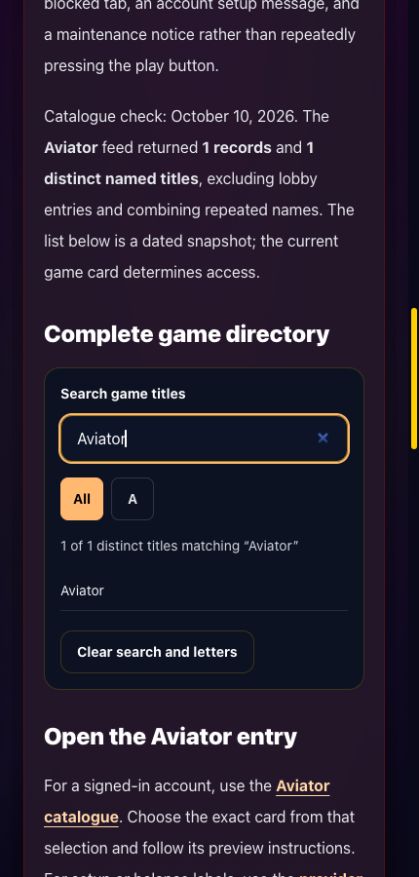
Search example, October 10, 2026. This is the title list, not gameplay. Open the image for the full screen.
Complete game directory
A
- Aviator
Open the Aviator entry
For a signed-in account, use the Aviator catalogue. Choose the exact card from that selection and follow its preview instructions. For setup or balance labels, use the provider wallet reference.
Compare the separate selections discussed here: Spribe · InOut · SmartSoft.
Title source: the DragonFury.us game list, checked October 10, 2026. Review method and corrections.
Frequently asked questions
Do I need the Spribe menu to find this Aviator entry?
Aviator has its own entry in this website menu. It is not a long studio directory, and you do not need to open the separate Spribe card to locate it. That menu distinction also helps identify which preview balance you are checking. Open Aviator to reach its preview and account controls. You do not need to search through the Spribe card to locate this website entry: Spribe has a separate list of names such as Mines, Dice, and Plinko. The menu separation matters when checking which provider balance is available for the game you selected.